Understanding the Basics of tv mounting
What is tv mounting?
Tv mounting refers to the process of securely attaching a television to a wall, offering a sleek and modern aesthetic while freeing up valuable floor space. This practice has gained immense popularity due to its ability to enhance viewing experiences and integrate seamlessly into home designs. Enhancements in mounting technology have also resulted in various designs that accommodate different television sizes, weights, and wall types. The decision to engage in tv mounting often involves considerations of functionality, aesthetic appeal, and safety.
Benefits of tv mounting
The advantages of tv mounting extend beyond mere aesthetics. First and foremost, it saves space, allowing homeowners to repurpose areas previously dedicated to bulky furniture for other uses. Furthermore, mounted TVs can minimize clutter by reducing the number of wires and cables on display. Besides aesthetics, mounting a TV at eye level can significantly enhance viewing comfort, reducing neck strain. In addition, wall-mounted TVs are generally less accessible to children and pets, which improves safety in a family environment. Finally, many mounts come equipped with tilting and swiveling capabilities, allowing for optimal viewing angles depending on the layout of the room.
Types of tv mounting options
When it comes to tv mounting, there are several options to consider, each with unique characteristics:
- Fixed Wall Mounts: These are the most basic type, providing a secure way to attach the TV to the wall in a flat position without any movement.
- Tilting Mounts: Ideal for TVs placed high on a wall, these mounts allow the screen to tilt downward for better viewing angles, reducing glare.
- Full-Motion Mounts: These versatile mounts enable the TV to swivel and extend away from the wall, which can be beneficial in multi-room layouts.
- Ceiling Mounts: Perfect for optimizing space, ceiling mounts can be utilized in rooms with limited wall space or for a unique design aesthetic.
- Corner Mounts: Designed specifically for corner setups, these allow the TV to fit snugly in the corner, maximizing usable space.
Preparing for Successful tv mounting
Tools and equipment needed
To ensure a successful tv mounting experience, having the right tools and equipment is essential. Here’s a list of what you’ll need:
- Stud finder to locate wall studs
- Drill and drill bits for making holes
- Screwdriver for securing screws and bolts
- Level to ensure the TV is mounted straight
- Tape measure for accurate measurements
- Pencil for marking measurements on the wall
- Mounting bracket suitable for your television model
- Safety glasses to protect your eyes when drilling
Choosing the right location
The placement of your TV has a significant impact on both viewing experience and room aesthetics. Consider factors such as natural light, viewing angles, and distance from seating areas. Ideally, the center of the TV screen should be at eye level when seated, which generally falls between 42 to 60 inches from the floor. Additionally, ensure that the location chosen provides access to power outlets and cable connections, as well as avoiding any sources of distraction from windows or doorways.
Assessment of wall types
Before mounting a TV, it's crucial to assess the type of wall you will be working with. Most televisions will require wall studs for secure installation, allowing you to anchor the mounting brackets effectively. Common wall types include:
- Wood Stud Walls: These are the easiest to work with for mounting due to their stability.
- Metal Stud Walls: Extra care is needed for mounting to avoid damage; toggle bolts may be necessary.
- Brick and Concrete Walls: Special masonry anchors and drills are required, as well as additional mounting hardware.
- Drywall: Must be mounted onto studs to secure the television properly. Using only drywall anchors is usually insufficient for heavier TVs.
Step-by-Step Guide to tv mounting
Measuring and marking the wall
Once the wall type is assessed, take accurate measurements to ensure proper placement of the TV. Use a tape measure to determine the ideal height and mark it on the wall with a pencil. Then, find the stud locations using a stud finder and mark these as well. Accurate marking is crucial to ensure the mount is level and the television is securely attached.
Installing the mounting bracket
With your measurements marked, it’s time to install the mounting bracket. Begin by aligning the bracket with the marked locations ensuring it is level. Use a drill to create holes at the marked stud locations, inserting anchors if necessary. Secure the brackets tightly with screws. Take care that the screws penetrate the studs deeply for maximum support. Once installed, do a final level check before proceeding.
Securing the television
Follow the manufacturer's instructions to attach the TV to the mounted bracket. This typically involves sliding the television onto the bracket or using screws to secure it. Ensure that the TV is firmly in place and check for any wobbling. It's best to have a second person assisting at this stage to support the TV while securing it properly to the mount.
Enhancing Your Space After tv mounting
Choosing display features
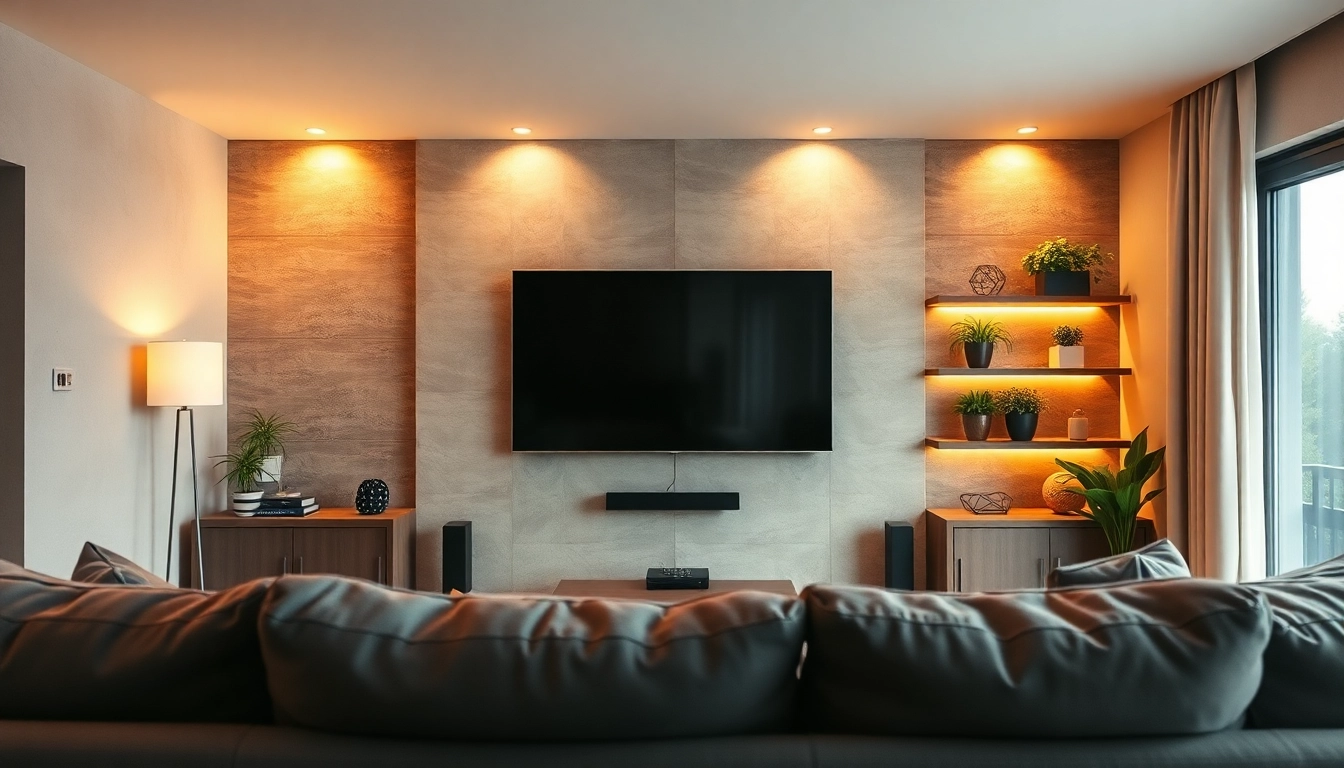
After securing the TV, consider enhancing its display with additional features. Options include adding a soundbar for better audio, installing LED backlights for a dramatic effect, or using decorative wall mounts. Integrating a media console below the TV can provide additional storage for remotes and gaming systems while contributing to the overall look.
Styling the area around your TV
The area surrounding your mounted TV can be styled to enhance the aesthetics of your room. Use shelves to display decorative items or add framed art that complements your TV. Additionally, consider a gallery wall that directs attention towards the mounted TV. Ensure that colors and themes harmonize with the overall decor to create a seamless design.
Integrating audio and visual systems
To complete the tv mounting setup, integrating audio and visual systems can significantly elevate your viewing experience. Wireless speakers or surround sound systems enhance sound quality and immersion. Smart home integration with voice control or mobile applications enables easier operation of multiple devices. Consider hiding cables with cable management systems to keep the setup neat and organized.
Common Challenges in tv mounting and Solutions
Dealing with uneven walls
Uneven walls can pose a significant challenge for tv mounting. To address this, use shims on uneven surfaces under the mount to ensure stability. A level will be helpful to make sure the TV is installed straight, despite the wall's imperfections. In cases of severe unevenness, consider mounting the TV on a piece of furniture that levels the display rather than the wall.
Correcting misalignment issues
Misalignment during installation can lead to an unbalanced appearance. If detected early, lowering or raising the TV can be managed by adjusting the mounting bracket. For existing installations, check the screws securing the mount and adjust as needed. If substantial realignment is required, it might involve re-drilling holes and resetting the mount entirely, which can be more complex.
Ensuring safety and stability
Safety should always be a priority during and after tv mounting. Ensure that all mounts and screws are tightly secured, and that the mount is securely anchored into wall studs for stability. Periodically check the mount over time to ensure everything remains secure, especially in households with children or pets. Having professional installation may also be a worthy consideration for larger, heavier televisions.
FAQs about tv mounting
1. What is the ideal height for mounting a TV?
The ideal height for mounting a TV is typically at eye level when seated, about 42 to 60 inches from the floor to the center of the screen.
2. How do I choose the right mount for my TV?
Select a mount that is compatible with your TV's size and weight. Check the specifications for VESA mounting patterns and choose between fixed, tilting, or full-motion options based on your needs.
3. Can I mount my TV on drywall?
Yes, but it's crucial to mount it onto the wall studs for stability, as drywall alone cannot support the weight of the TV safely.
4. What tools do I need for mounting a TV?
The essential tools include a drill, stud finder, level, screwdriver, tape measure, and a mounting bracket compatible with your television.
5. How can I hide cables after mounting my TV?
Cable management systems, cable covers, or routing cables through the wall using in-wall kits are effective options to conceal cables for a clean appearance.